


How to Start an Ecommerce Store on Shopify Step by Step: A Beginner's Guide
Discover how to start an ecommerce store on Shopify step by step, from signing up to launching your shop. Perfect for beginners, with tips on low-cost setups, dropshipping, and even starting without much money—ideal for aspiring entrepreneurs in India and beyond.
How to Start an Ecommerce Store on Shopify Step by Step: A Beginner's Guide
Hey there, if you're dreaming about launching your own online shop but feel overwhelmed by the tech side, you're in the right spot. I've helped dozens of folks just like you get their ecommerce ventures off the ground, and let me tell you—Shopify makes it way easier than you might think. We're talking about a platform that's user-friendly, scalable, and packed with tools to turn your ideas into sales. Today, I'll walk you through how to start an ecommerce store on Shopify step by step, throwing in some real-world tips I've picked up along the way. Whether you're eyeing dropshipping or selling handmade goods, this guide's got you covered. Let's dive in.
Why Shopify? A Quick Rundown Before We Jump In
Before we get to the steps, let's chat about why Shopify stands out. It's not just another website builder; it's built specifically for ecommerce. You get everything from inventory management to payment processing in one place. Plus, it's flexible—perfect if you're wondering how to start a Shopify store for beginners or even how to set up Shopify store for dropshipping. And hey, if budget's a concern, you can kick things off with their trial or basic plans without breaking the bank. In India, where ecommerce is booming, Shopify integrates well with local payment gateways like Razorpay, making it a smart pick for desi entrepreneurs.
One thing I love? The app store. It's like having a toolbox where you can add features as your business grows. But enough intro—let's get to the action.
Step 1: Sign Up and Pick Your Plan
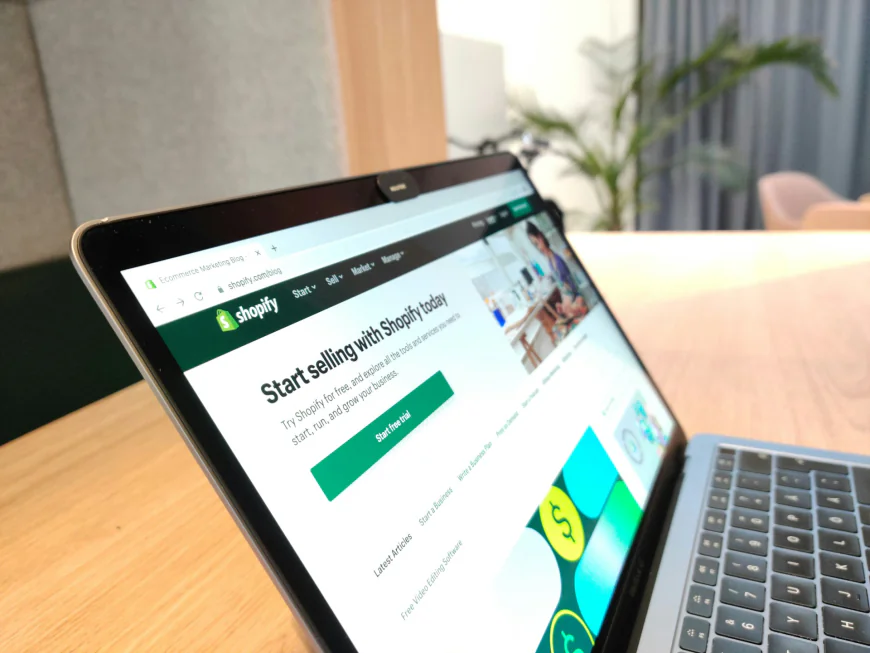
First things first: Head over to Shopify.com and hit that "Start free trial" button. You'll get 3 days free—no credit card needed upfront. After that, plans start at around $29 a month for the Basic one, but keep an eye out for promos like 3 months for $1. If you're asking how much does it cost to start a Shopify store, factor in domain costs (about $15/year) and any apps, but you can launch for under $50 if you're thrifty.
Pro tip: If you're bootstrapping and searching for how to start a ecommerce business without money, use the trial to build everything out before committing. I've seen people test ideas this way and pivot fast without losing a dime.
Step 2: Choose Your Niche and Products
Now, this is where the fun begins—or the headaches, if you're not strategic. Pick a niche you're passionate about, but back it up with research. Tools like Google Trends or Shopify's own trend reports can help spot what's hot. For instance, if you're in India, think about local demands like ethnic wear or spices that ship well.
If inventory scares you, consider how to start an online store without inventory via dropshipping. Apps like Oberlo (now part of Shopify) let you source products from suppliers who handle shipping. I once helped a friend set up a dropshipping store selling phone accessories—she started with zero stock and scaled to $5K/month in six months.
Step 3: Set Up Your Store Basics
Once signed up, Shopify's dashboard greets you like an old pal. Start by naming your store—keep it catchy and relevant to your brand. Then, grab a domain. You can buy one through Shopify or connect an existing one.
Next, pick a theme. There are free ones that look pro, or paid options starting at $150 for more customization. Customize your logo, colors, and layout—no coding required. If you're wondering how to create an online store for free, stick to free themes and apps during the trial.
Step 4: Add Products and Organize Your Catalog
Time to populate your shop. Click "Products" in the dashboard and hit "Add product." Upload photos (high-quality ones sell better—use your phone if needed), write descriptions that pop, and set prices. Don't forget SEO here: Include keywords like your product names naturally in titles and descriptions.
For dropshipping folks, integrate your app and import products seamlessly. Aim for 10-20 items to start—quality over quantity. Group them into collections, like "Best Sellers" or "New Arrivals," to make browsing easy.
Step 5: Configure Payments and Shipping
This step's crucial for turning visitors into customers. Under "Settings > Payments," activate Shopify Payments—it's seamless and handles credit cards. In India, add gateways like Paytm or UPI for local appeal. Curious about how much does Shopify take from a $100 sale? It's about 2-3% plus a small fee, depending on your plan.
For shipping, set rates based on weight or flat fees. If dropshipping, let suppliers handle this. Test a checkout to ensure it's smooth—no one likes cart abandonment due to clunky processes.
Step 6: Customize and Optimize for Launch
Polish your store: Add pages like "About Us," "Contact," and "FAQ." Install essential apps—free ones for SEO, email marketing (like Klaviyo), or abandoned cart recovery.
SEO tweak: Use the built-in tools to optimize titles, metas, and alt text. Incorporate LSI terms like "online shopping business" or "ecommerce website setup" naturally. And for mobile—Shopify themes are responsive, but double-check.
Step 7: Launch, Market, and Scale
Hit "Launch" when ready, but don't stop there. Drive traffic with social media, Google Ads, or influencer shoutouts. Email lists are gold—start building one early.
If you're pondering how to get paid on Shopify, payouts hit your bank every few days via Shopify Payments. Track analytics in the dashboard to see what's working.
Why This Matters: The Bigger Picture for Aspiring Sellers
Look, starting an ecommerce store isn't just about making sales—it's about building something sustainable. In a world where online shopping's exploded (think post-pandemic boom), platforms like Shopify level the playing field. For Indian entrepreneurs, with the market projected to hit $350 billion by 2026, it's a goldmine. But here's the real talk: Success comes from consistency. I've watched stores flop because owners skipped marketing, while others thrive by niching down and engaging customers personally.
Take dropshipping—it's low-risk, but competition's fierce. Differentiate with stellar service or unique branding. Or compare to Amazon: Shopify gives you full control, unlike Amazon's fees and rules. If Etsy's your vibe for handmade, Shopify's better for scaling a full brand.
Common Pitfalls and How to Dodge Them
From my experience, newbies often overlook legal stuff—like business registration in India (easy via MCA portal) or GST if sales hit thresholds. Budget wisely: How much investment needed to start e commerce business in India? Maybe ₹10,000-50,000 for basics, but focus on organic growth to minimize.
Another trap: Over-customizing too soon. Start simple, iterate based on data. And security—Shopify's PCI compliant, but use strong passwords.
Wrapping It Up with Actionable Advice
So, you've got the blueprint for how to start an ecommerce store on Shopify step by step. It's straightforward, but the magic's in execution. Start small, learn as you go, and don't fear tweaks. If you're debating plans, Basic's fine for starters; upgrade to Advanced for analytics as you grow. Questions? Drop 'em in comments—I'm here to chat. Your online empire awaits!
What's Your Reaction?
 Like
0
Like
0
 Dislike
0
Dislike
0
 Love
0
Love
0
 Funny
0
Funny
0
 Angry
0
Angry
0
 Sad
0
Sad
0
 Wow
0
Wow
0


